Your TV.
Your way.
The IPTV player and MediaCenter that truly integrates with Apple. Enjoy your M3U channels, Xtream Codes and your local library on iPhone, iPad and Apple TV — with a native interface on every device.
iOS 17+ · tvOS 26+ · Free with optional purchases
Features
The IPTV player that
has it all
From channel playback to your personal library, Pulsar is your entertainment hub, constantly updated with new features.

IPTV M3U & Xtream
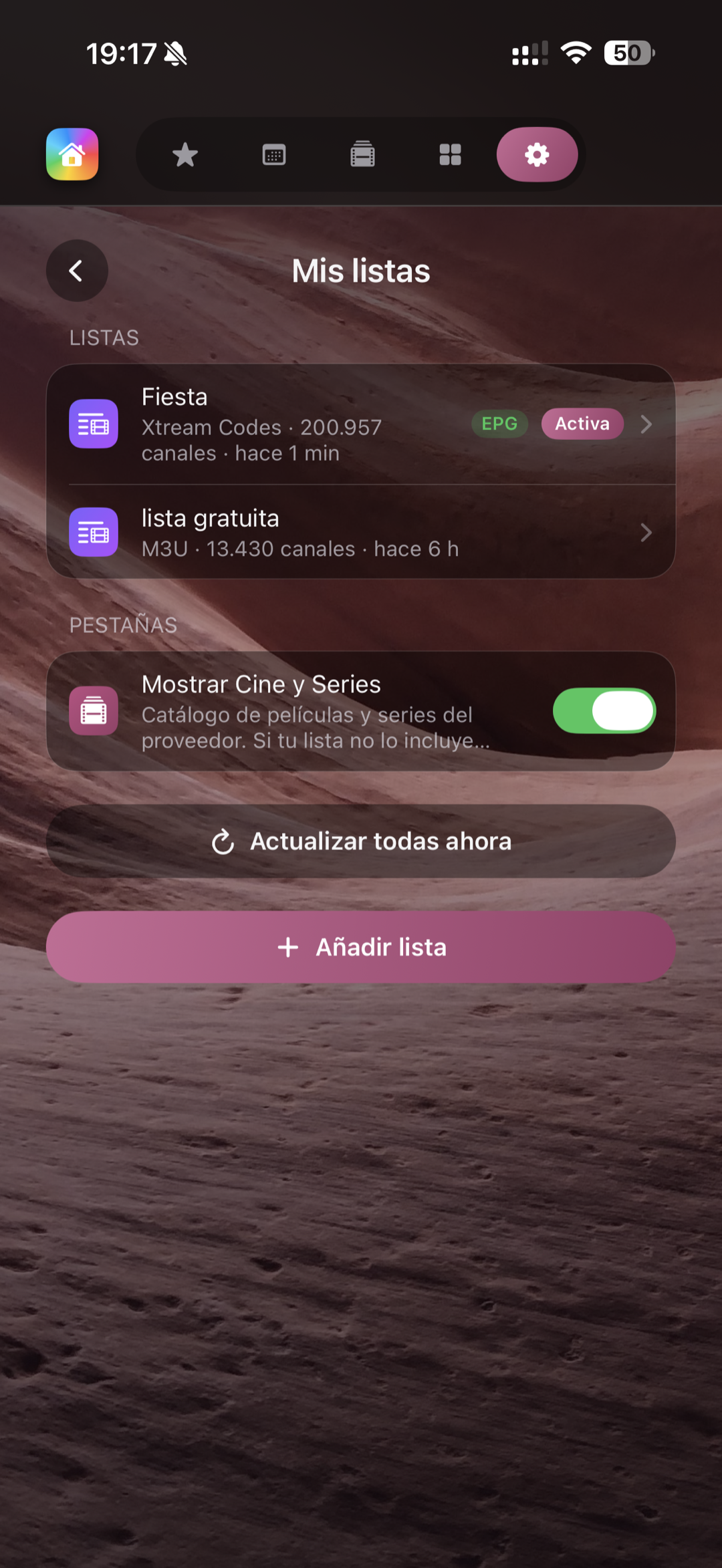
Add any M3U list or Xtream Codes connection in seconds. Switch channels without leaving the app.

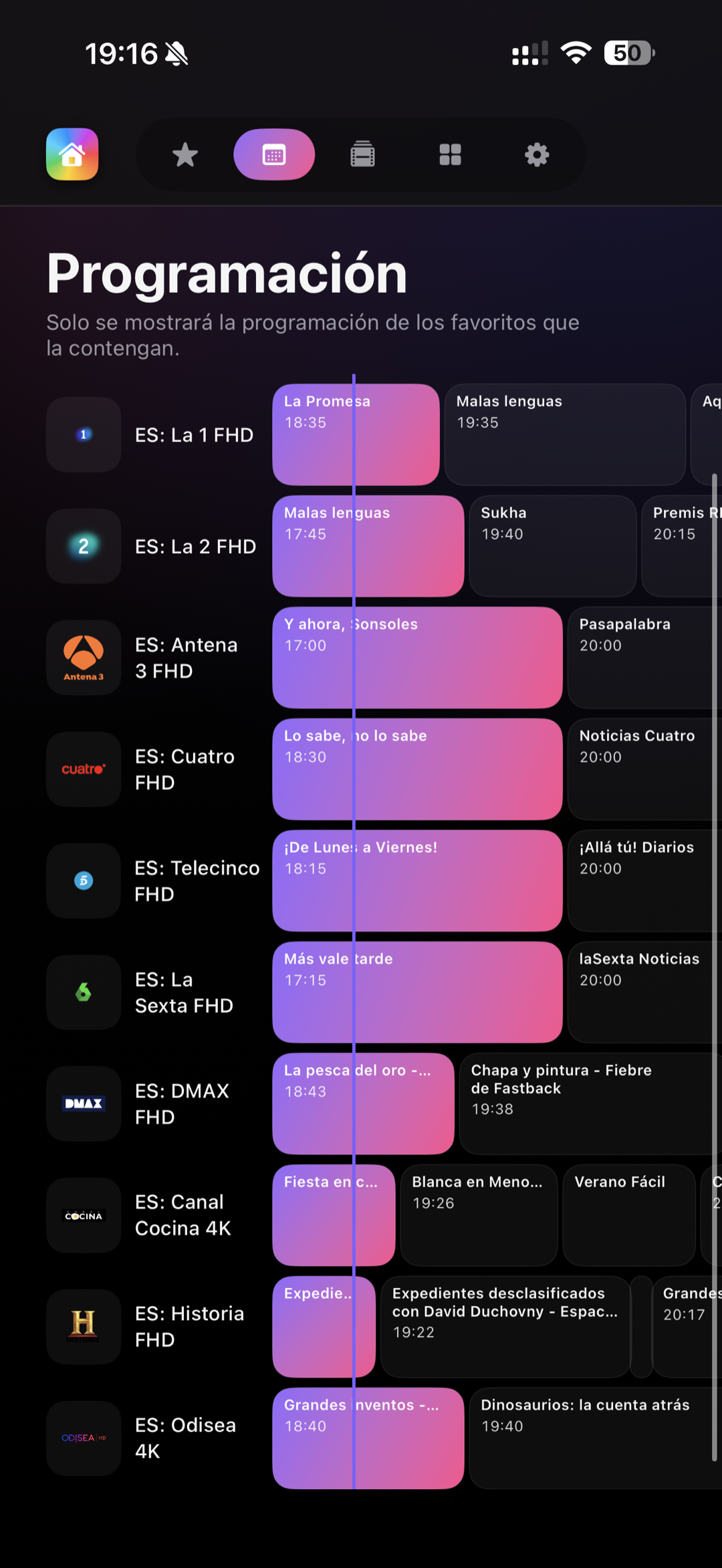
EPG Guide
Current programme shown next to each channel (free). Full grid with timeline, search and reminders to iPhone & Apple Calendar (Pro).

Favourites
Access your favourite channels at a glance. With Pro, unlimited and synced across devices.

5 Languages
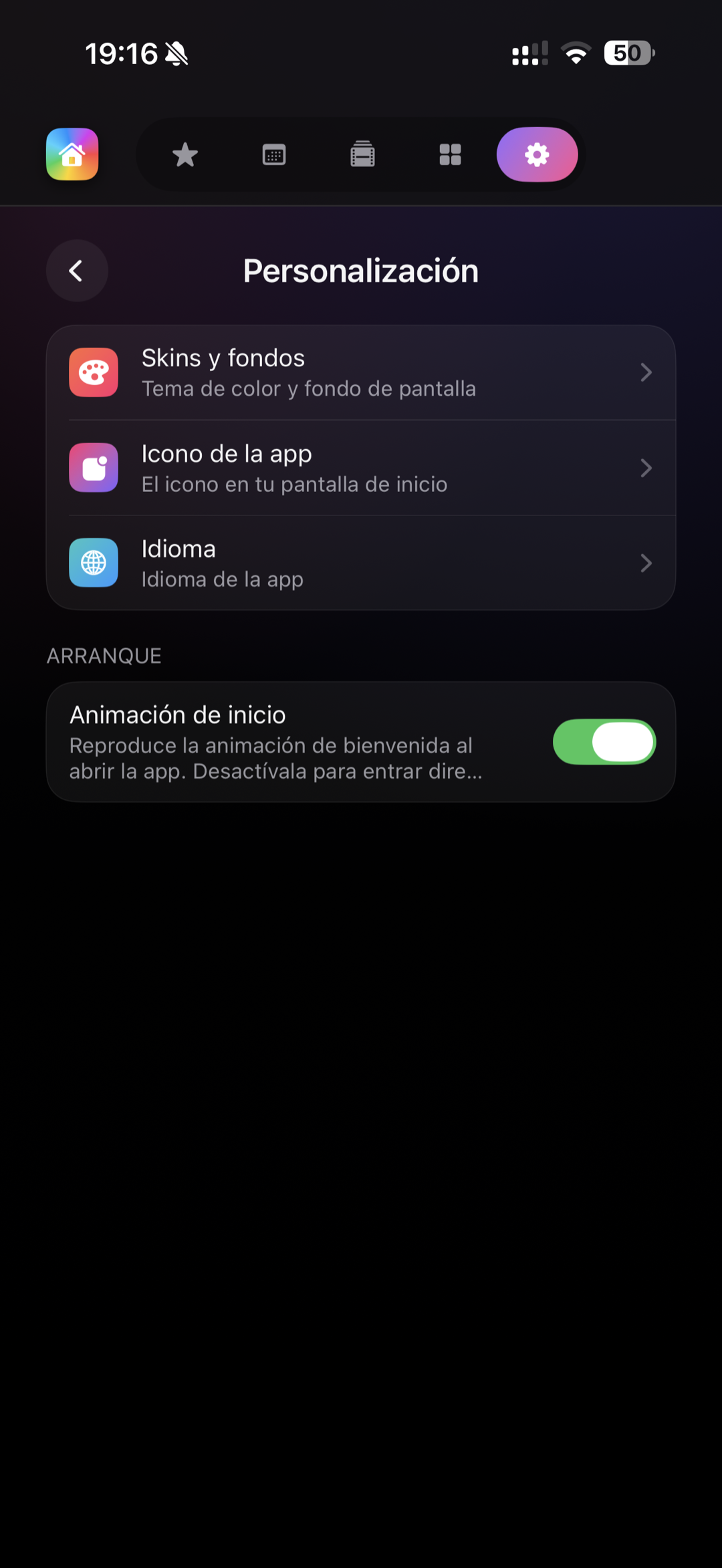
Available in Spanish, English, French, Italian and Portuguese. The app speaks your language.

Local MediaCenter
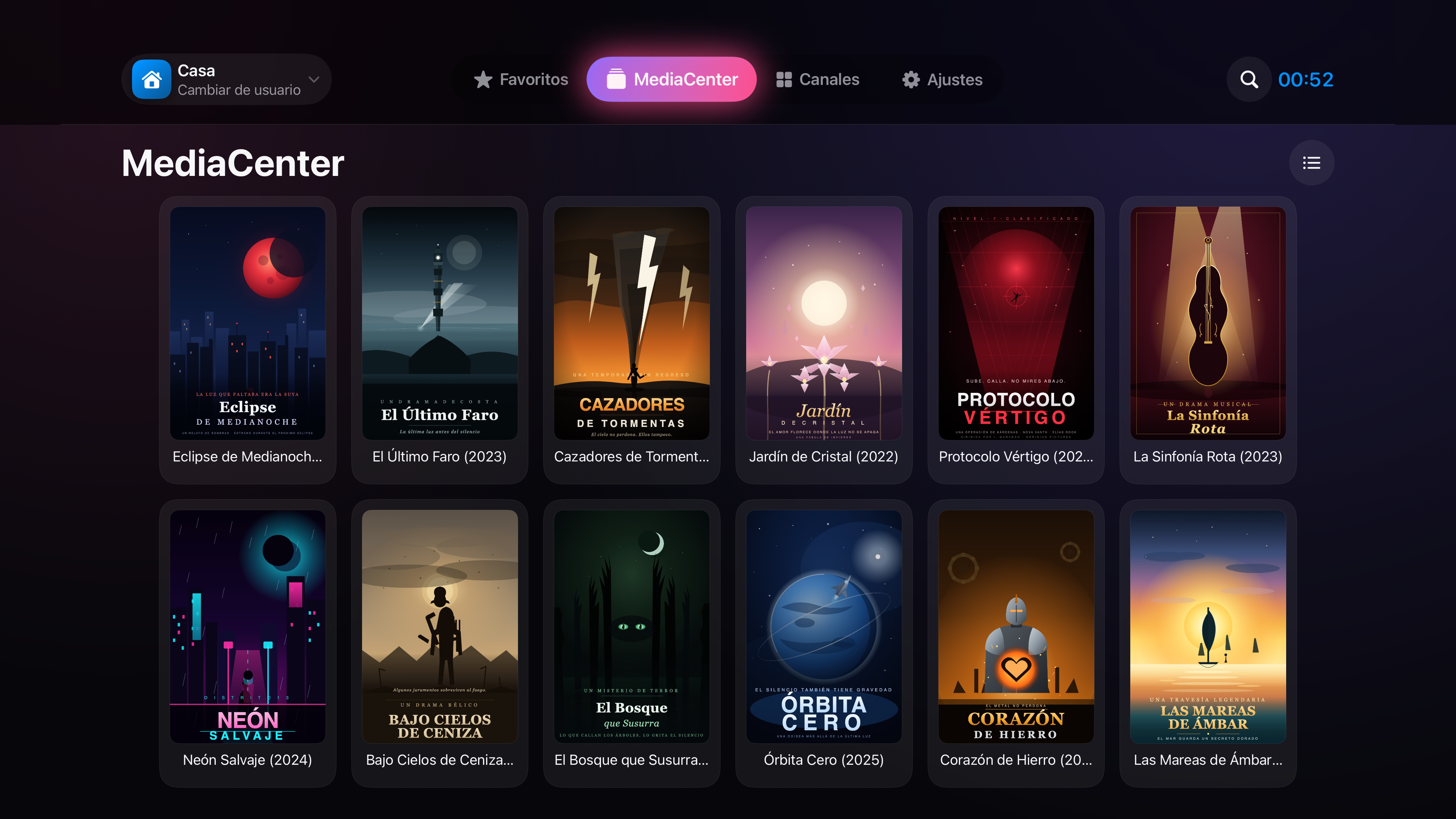
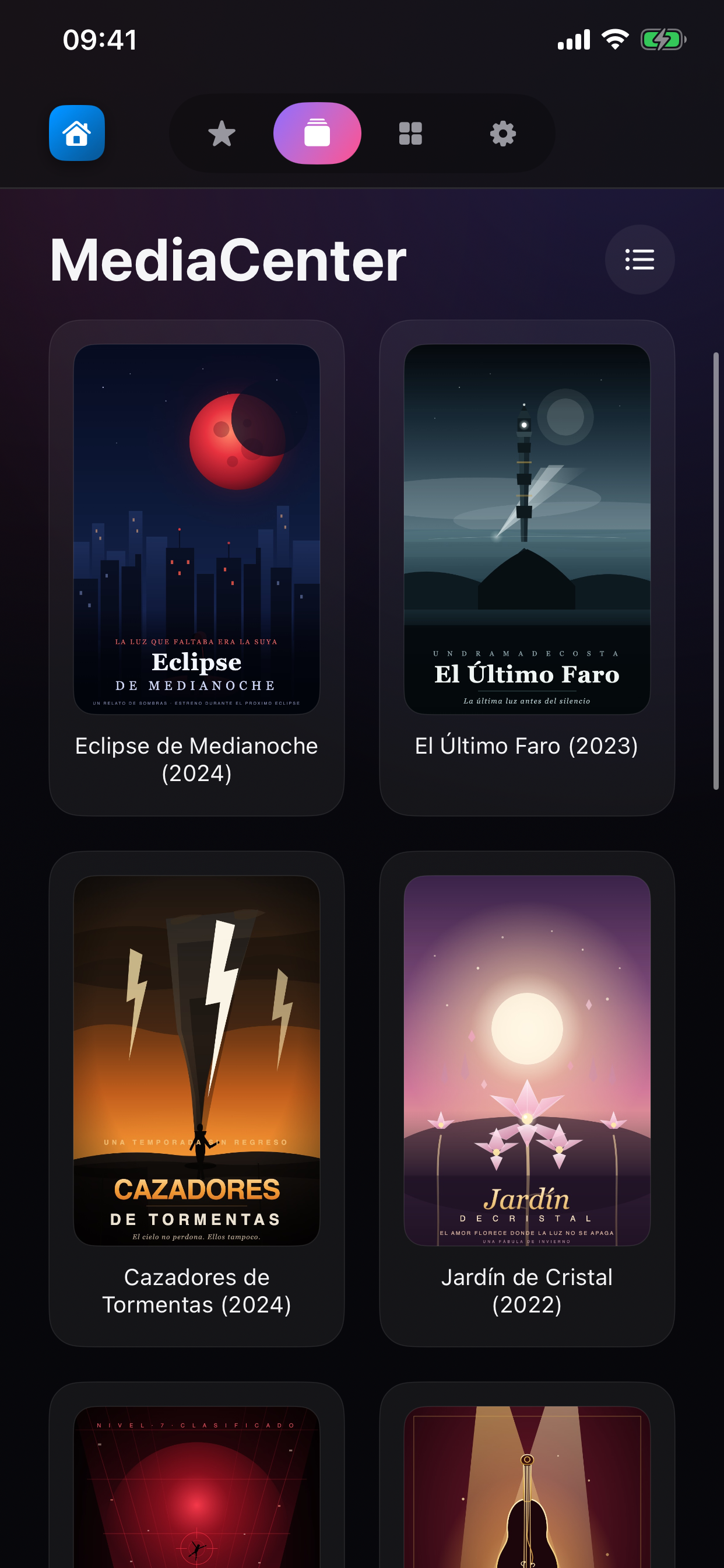
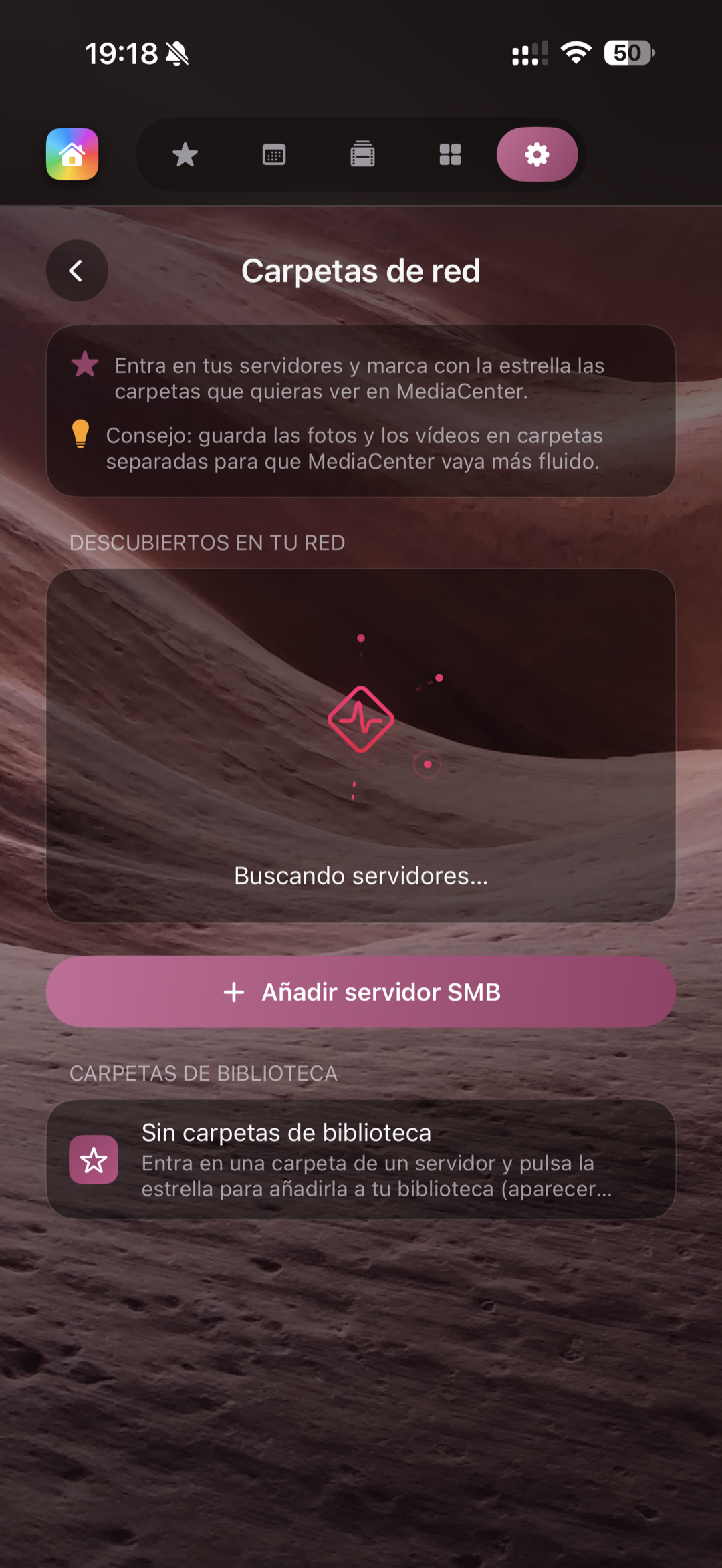
Play movies, series, music and photos from your NAS or computer via SMB and DLNA. No uploading to the internet — and it even finds and displays artwork for your content.

iCloud Sync
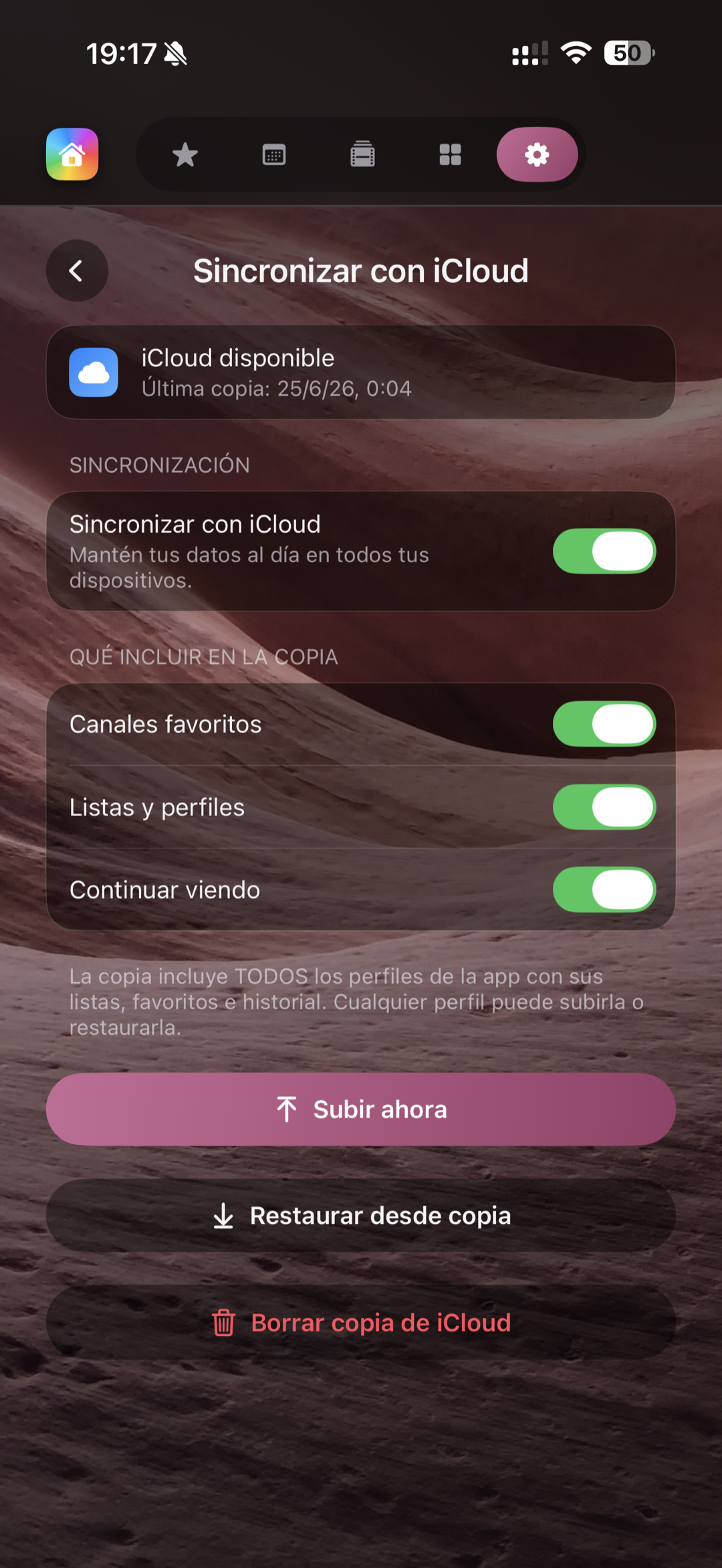
Your playlists, profiles and favourites sync automatically between your iPhone, iPad and Apple TV.

Picture in Picture
Keep watching while you do other things. Native PiP on iPad so you never miss a moment.

Multiview on Apple TV
Follow multiple feeds at once on your big screen. Perfect for sports events.

Alerts on iPhone & Calendar
Pro EPG reminders arrive as native notifications on your iPhone and are automatically added to your Apple Calendar. Never miss a premiere again.

Profiles & Parental PIN
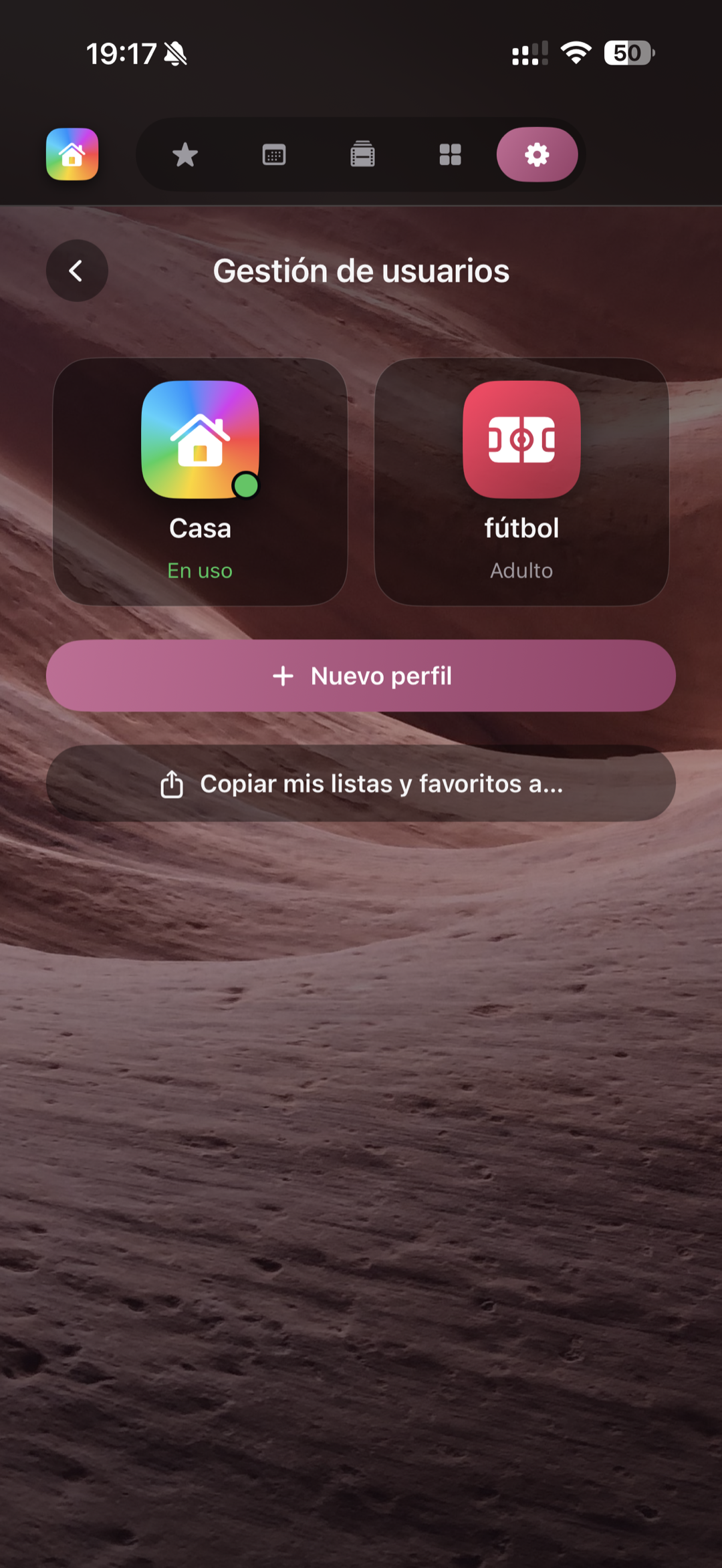
Up to 2 profiles (unlimited with Pro), with customisable avatar and parental control PIN.

Colours & Background Galleries
Solid colours and gradients, free. Exclusive space and nature galleries, with Pro. The app, your way.

All on your network
Your local library never leaves your home network. No middleman servers, no storage subscriptions.

Speed test built for IPTV
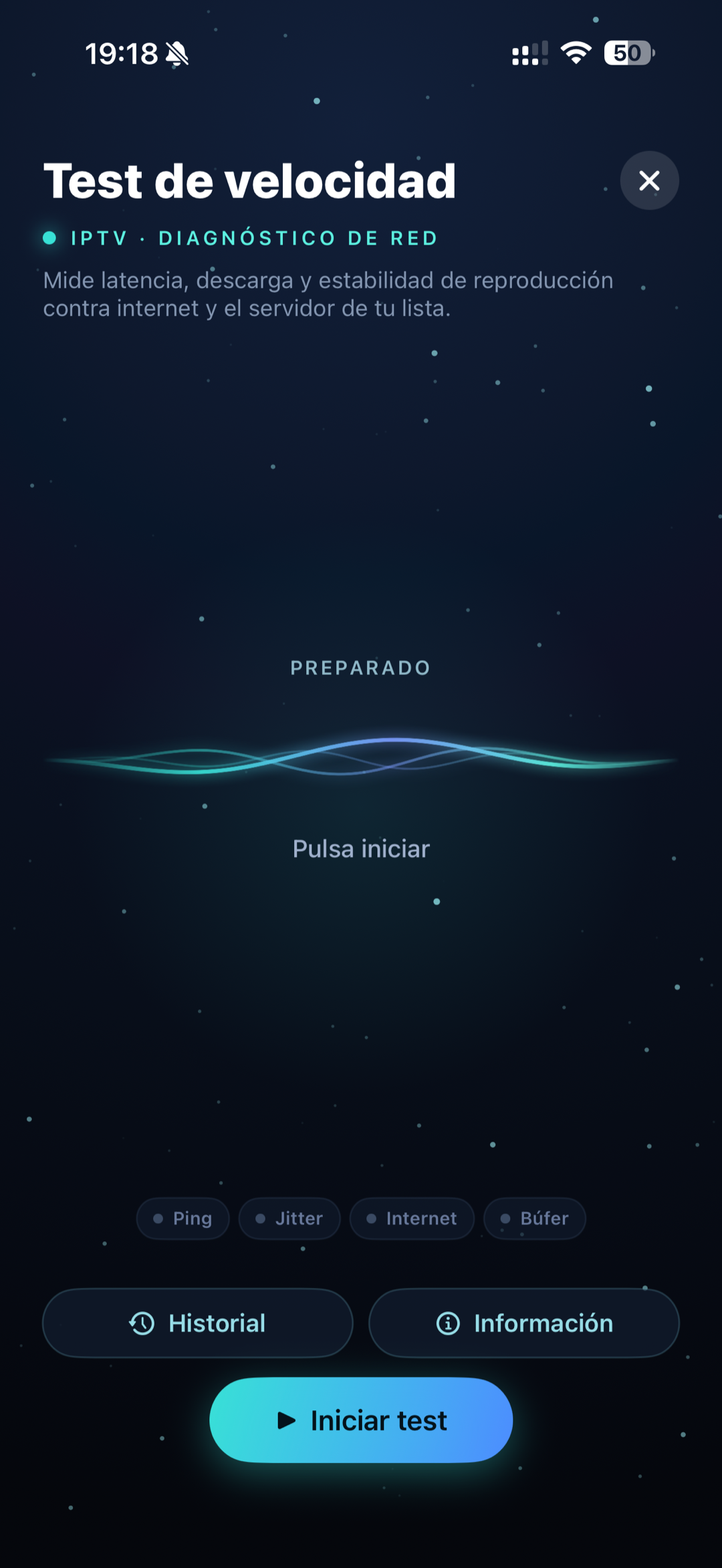
Check if your connection can handle your IPTV before you watch. It measures your server's real speed by downloading from a favorite channel, plus ping, stability and internet download, with a 4K/HD verdict and history.
What's new
The latest in Pulsar,
in your hands
Our newest features, shown in the real app. This is how Pulsar looks on your iPhone.
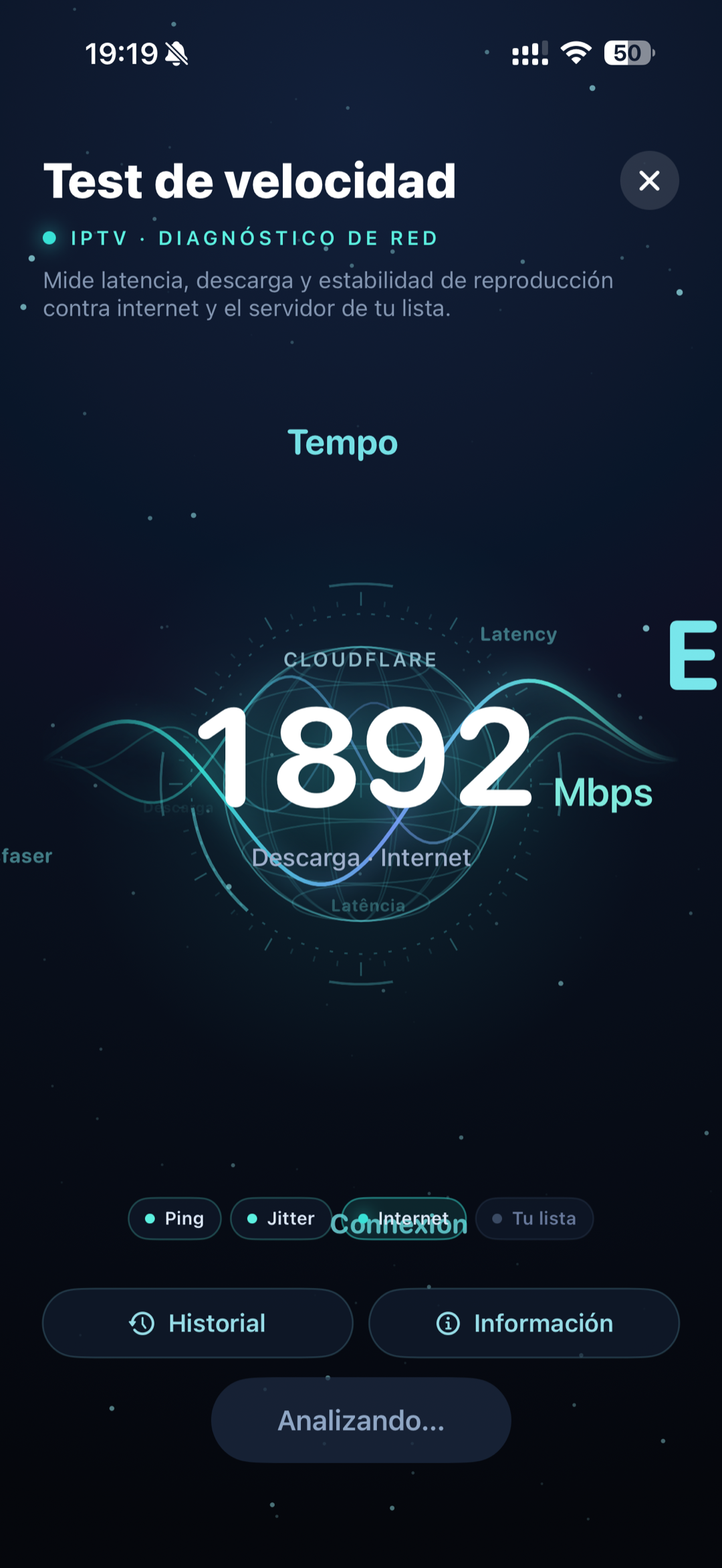
Speed test built for IPTV
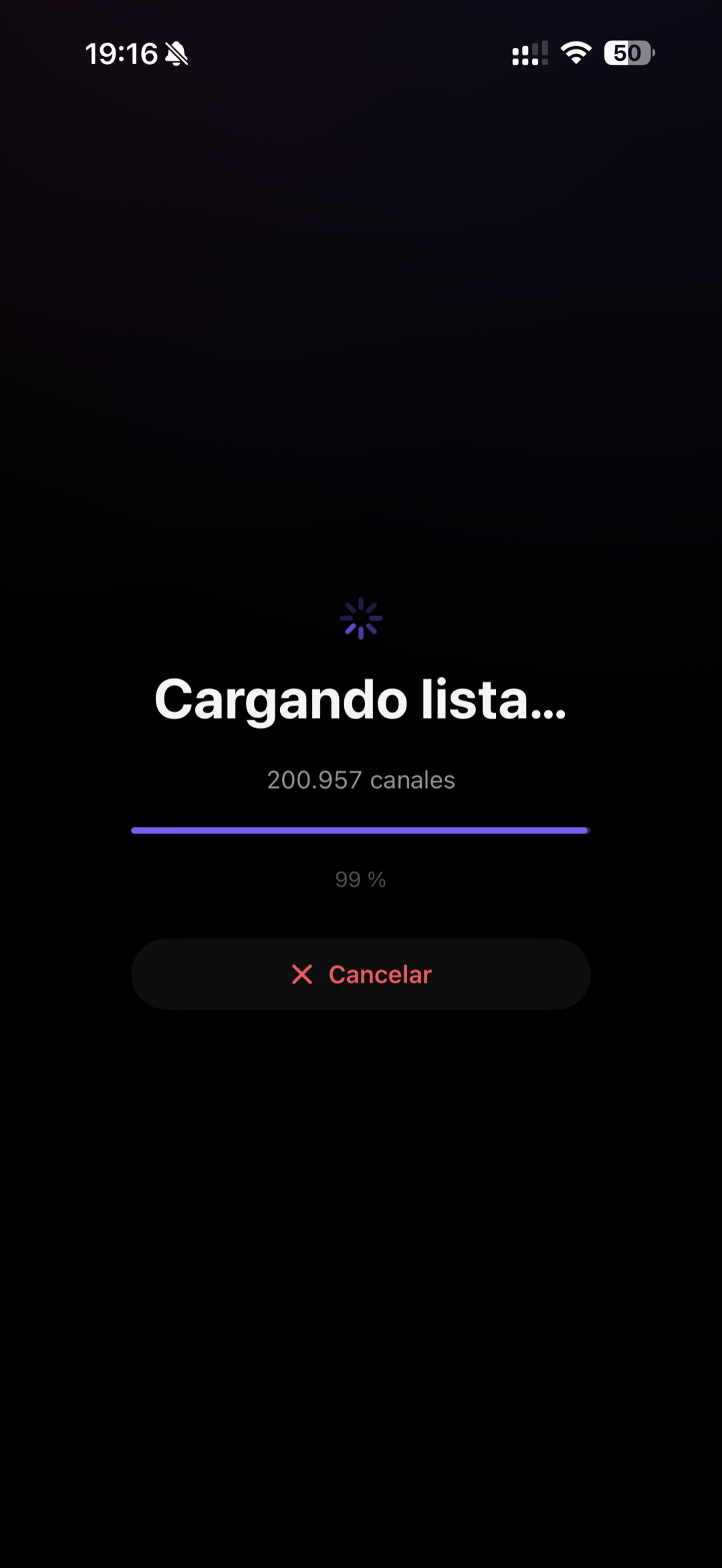
Before you start watching, check whether your connection can handle your IPTV. Unlike a generic test, it measures your list server's real speed by downloading from one of your favorite channels.
- ✓ An instant verdict: 4K, HD, or if you'll hit buffering
- ✓ Ping, jitter, internet and your-server download
- ✓ A history of your latest tests
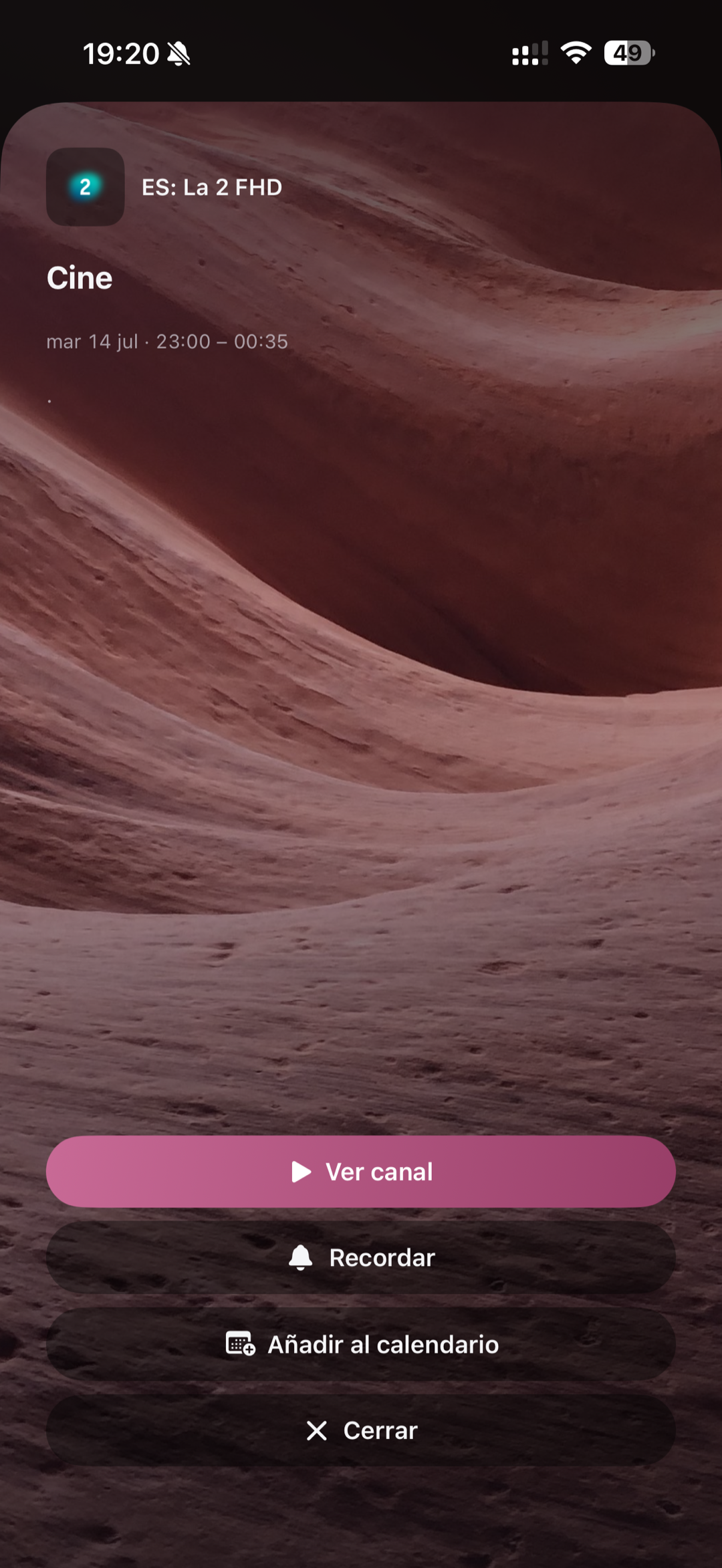
Never miss a show
From the EPG guide, open any programme and set a reminder. Pulsar alerts you right before it starts.
- ✓ Reminders with native iPhone notifications
- ✓ Add them to your Apple Calendar in one tap
- ✓ Synced across your devices
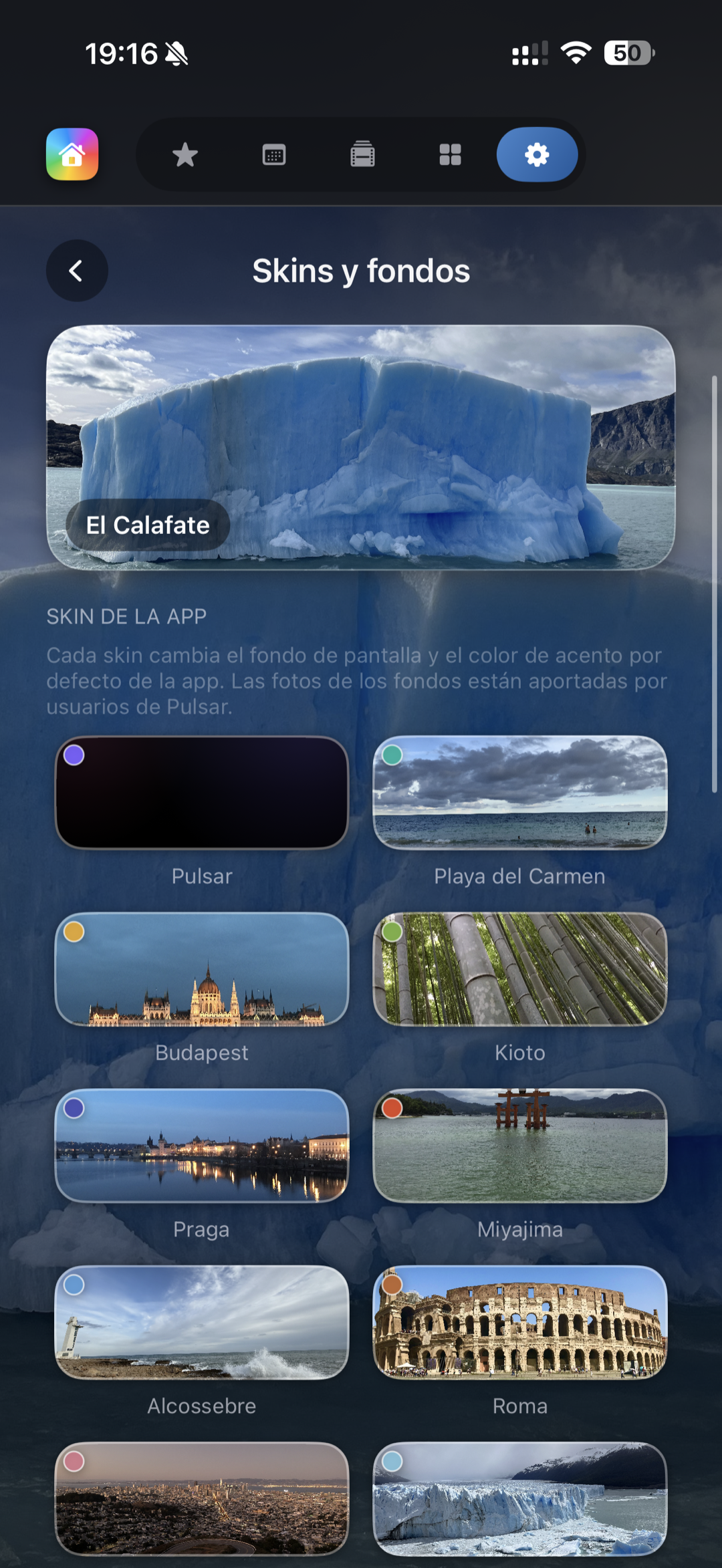
Make it yours with skins & icons
13 city-themed skins, each with its own background photo and accent color, plus 4K illustrated wallpapers and 14 app icons for your home screen.
- ✓ 13 city skins with their own background and color
- ✓ 4K illustrated wallpapers, saved per profile
- ✓ 14 alternate app icons (iOS)
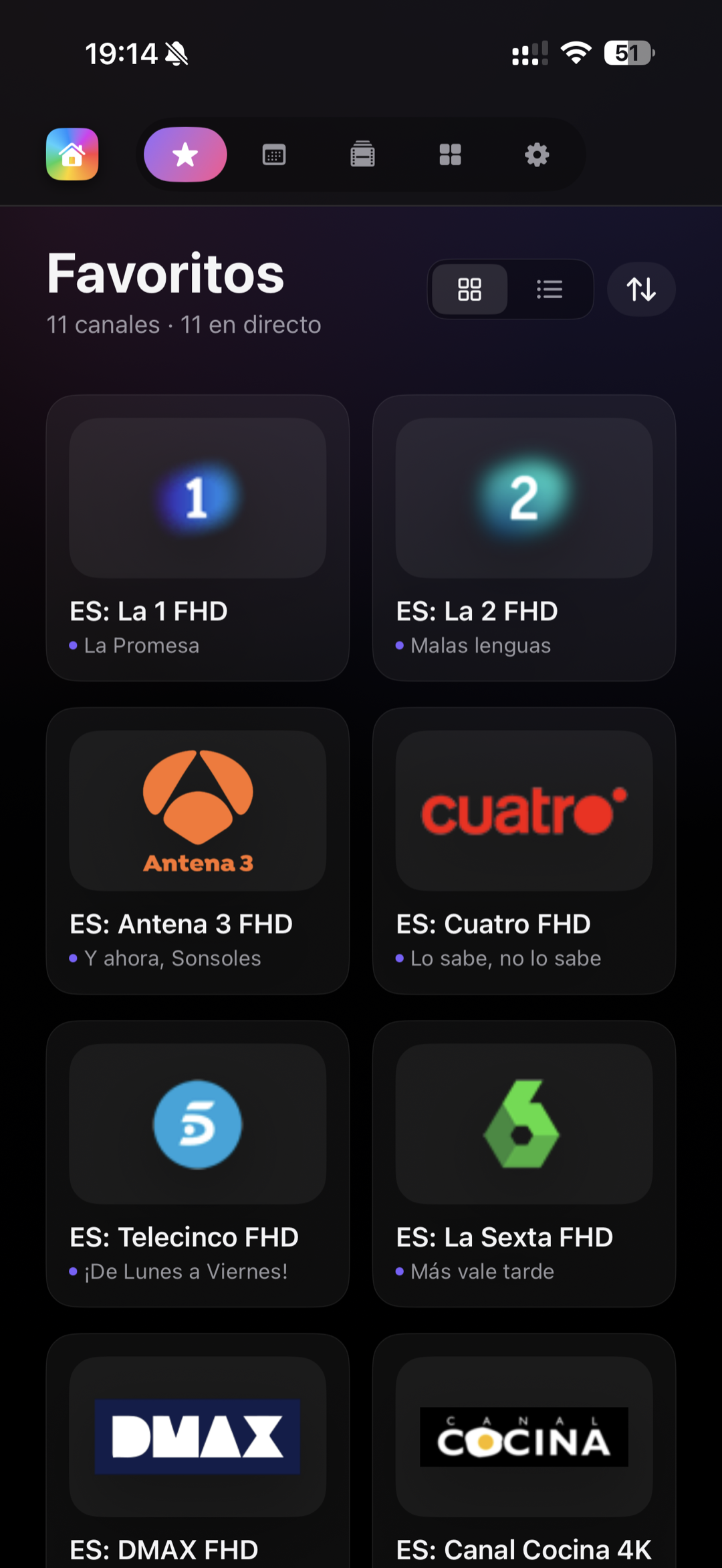
Your favorites, always at hand
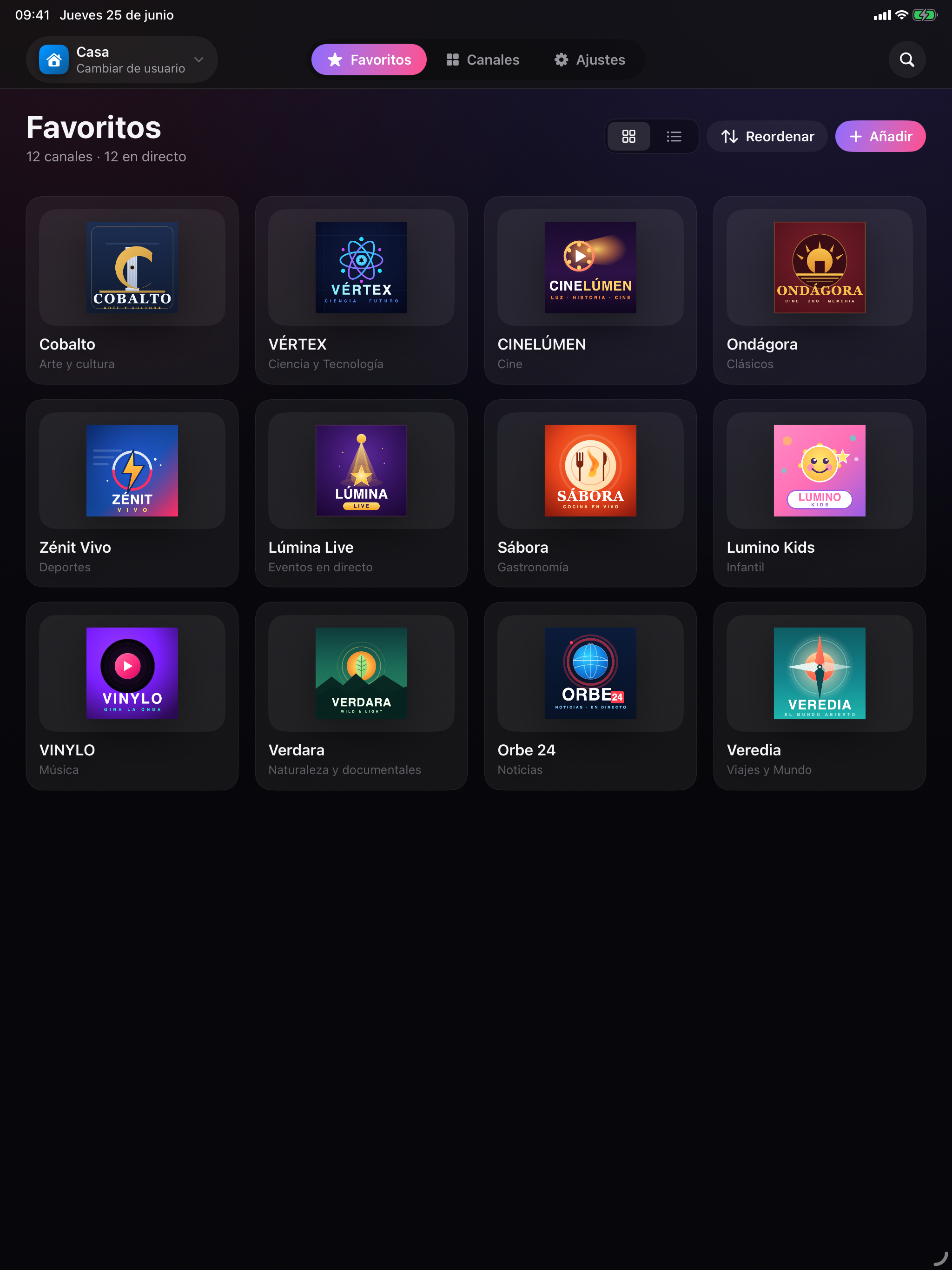
Gather your favorite channels and content in one tab, with the current programme under each channel and one-tap access.
- ✓ Grid or list view, however you like
- ✓ Reorder and rename them as you wish
- ✓ Synced across iPhone, iPad and Apple TV (Pro)
MediaCenter
Your personal library.
No limits. No cloud.
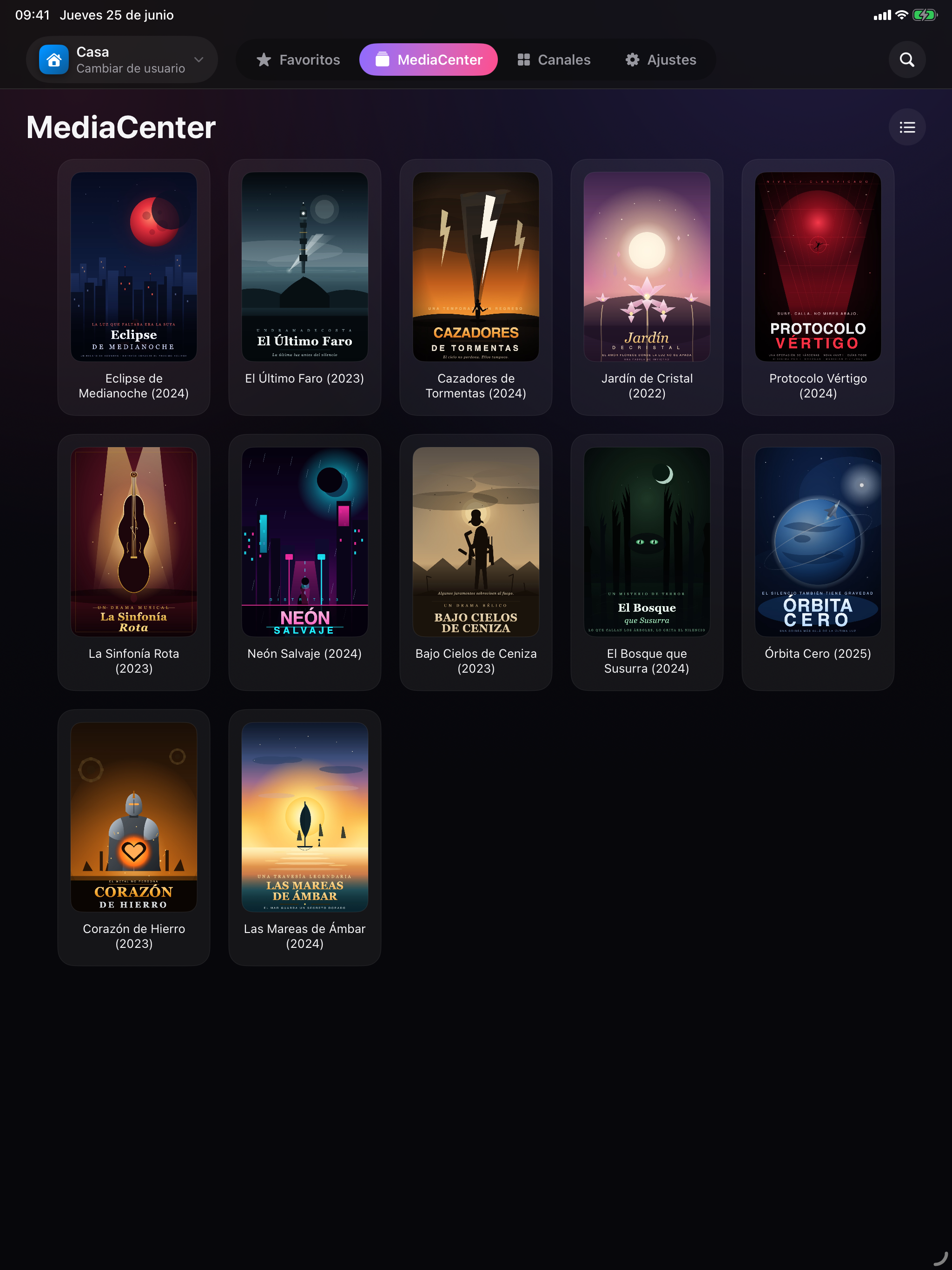
Connect your NAS, Time Capsule or any networked computer via SMB or DLNA. Pulsar automatically finds your movies, series, music and photos and presents them with covers, metadata and an interface as polished as Apple TV+.
- ✓ Nothing uploaded to the internet — all on your local network
- ✓ SMB and DLNA support — compatible with Synology, QNAP, Samba…
- ✓ Automatic metadata with covers and descriptions
- ✓ Movies, series, music and photos in a single app
- ✓ Native, fluid interface on Apple TV
A closer look
The whole app,
screen by screen
A tour of Pulsar on iPhone. Every screen crafted in detail — and in your language.
What you watch
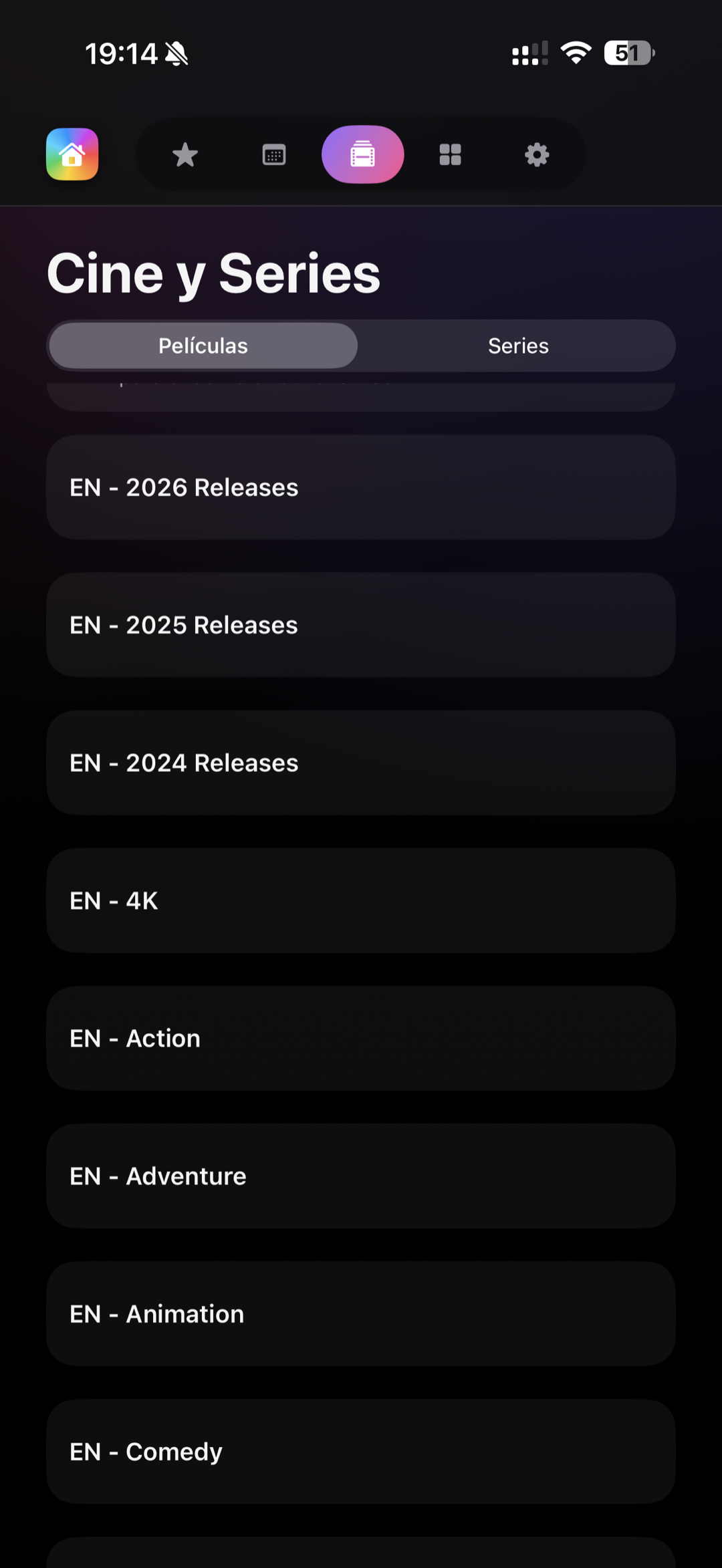
Live TV, the guide and your on-demand content.
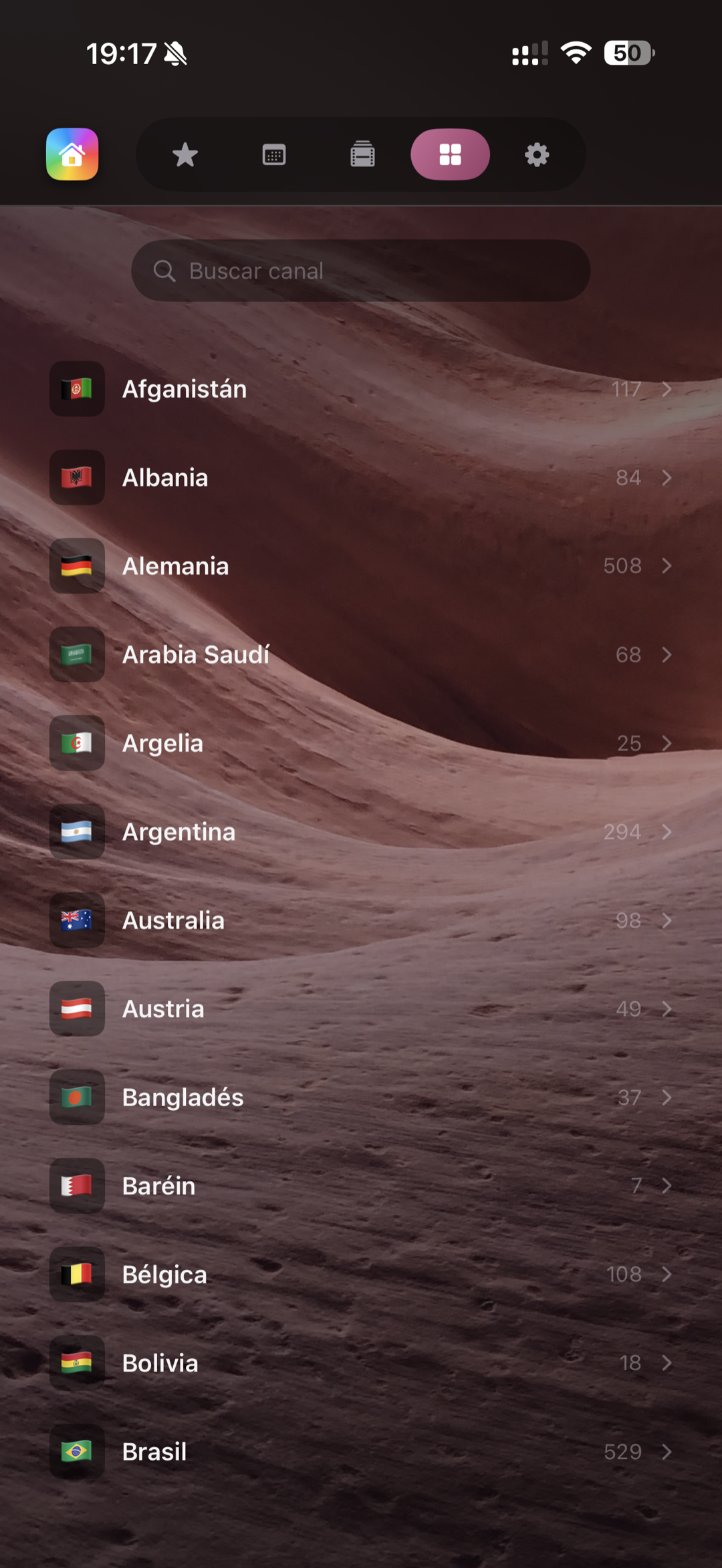
Your way
Playlists, profiles, sync and style.
Under the hood
Performance and diagnostics, no surprises.
Our vision
Not just IPTV.
Your media hub.
Pulsar is today an IPTV player and MediaCenter. But our mission is to become the go-to app for all your entertainment in the Apple ecosystem — and beyond.

More than an IPTV player
Pulsar was born to play channels, but our vision goes much further. We want to be the ultimate media hub for your Apple TV, iPhone and iPad.

Continuous updates
Every update brings new features. We commit to keep improving the app with everything you need — and what you don't yet know you need.

Your feedback matters
Many Pulsar features come directly from our users. If you have an idea, write to us. The best ones end up in the app.

Android · Coming soon
We're preparing the launch of Pulsar on Android. If you want to be among the first to try it, write to us and we'll let you know as soon as it's ready.
Pulsar Pro
Simple. No strings attached.
Start free. Unlock everything with Pro — yearly or lifetime subscription. 7-day free trial, no commitment.
Free
Start with IPTV without spending anything. Enjoy a fully functional, high-quality app.
- ✓IPTV playback (M3U and Xtream Codes)
- ✓Current programme next to each channel (basic EPG)
- ✓Favourites (up to 5 channels)
- ✓1 IPTV playlist
- ✓2 user profiles
- ✓5 languages: ES, EN, FR, IT, PT (more coming soon)
- ✓Speed test built for IPTV
Pulsar Pro
The most complete player on the market. Annual subscription, cancel anytime. 7 days free.
- ✓Everything in Free
- ✓MediaCenter: SMB and DLNA
- ✓Unlimited playlists and profiles
- ✓Unlimited favourites
- ✓iCloud sync
- ✓EPG programme reminders
- ✓Multiview on Apple TV
- ✓Picture in Picture on iPad
- ✓Alternative icons and exclusive background galleries
- ✓Priority support
Annual subscription · Cancel anytime from iOS Settings
Pro Lifetime
Pay once and enjoy all Pro features forever — including all future updates.
- ✓Everything in Free
- ✓MediaCenter: SMB and DLNA
- ✓Unlimited playlists and profiles
- ✓Unlimited favourites
- ✓iCloud sync
- ✓EPG programme reminders
- ✓Multiview on Apple TV
- ✓Picture in Picture on iPad
- ✓Alternative icons and exclusive background galleries
- ✓Priority support
- ✓All future features included
No renewals. Yours forever.
* Prices may vary by region. Purchases are managed through Apple. Pulsar IPTV does not include channels or content — you need your own IPTV list.
Platforms
Native on every device
Not an adapted app. Four experiences designed for each screen.

iPhone
Clean and fast interface. Manage your playlists, browse the EPG, mark favourites and receive programme reminders from anywhere.
- ✓ IPTV M3U and Xtream
- ✓ EPG with search
- ✓ Picture in Picture (Pro)
- ✓ Native notifications

iPad
Make the most of the large screen with Picture in Picture, sidebar view and touch controls optimised for multitasking.
- ✓ Native Picture in Picture
- ✓ iOS multitasking
- ✓ Optimised touch gestures
- ✓ All iPhone benefits

Apple TV
⭐ ExclusiveA native tvOS interface — not an iOS port. Compatible with Apple TV HD (4th gen.) and all Apple TV 4K models. Designed for the Siri Remote, with Multiview, MediaCenter and a cinematic experience in your living room.
- ✓ Native tvOS interface
- ✓ Apple TV HD compatible
- ✓ Multiview (Pro)
- ✓ MediaCenter on the big screen

Mac
The iPad version runs on any Mac with Apple Silicon. Install it directly from the App Store and enjoy Pulsar on your desktop.
- ✓ iPad app on macOS
- ✓ Native Apple Silicon
- ✓ No extra cost
- ✓ Same features as iPad
Pulsar Pro · Customisation
Make it yours.
For real.
Alternative icons, colour palette and exclusive backgrounds — so the app fits exactly your style.

Alternative icons
13 unique designs for your home screen
 Night
Night Brand
Brand Blue
Blue Violet
 Nebula
 Cosmos
 Space arc
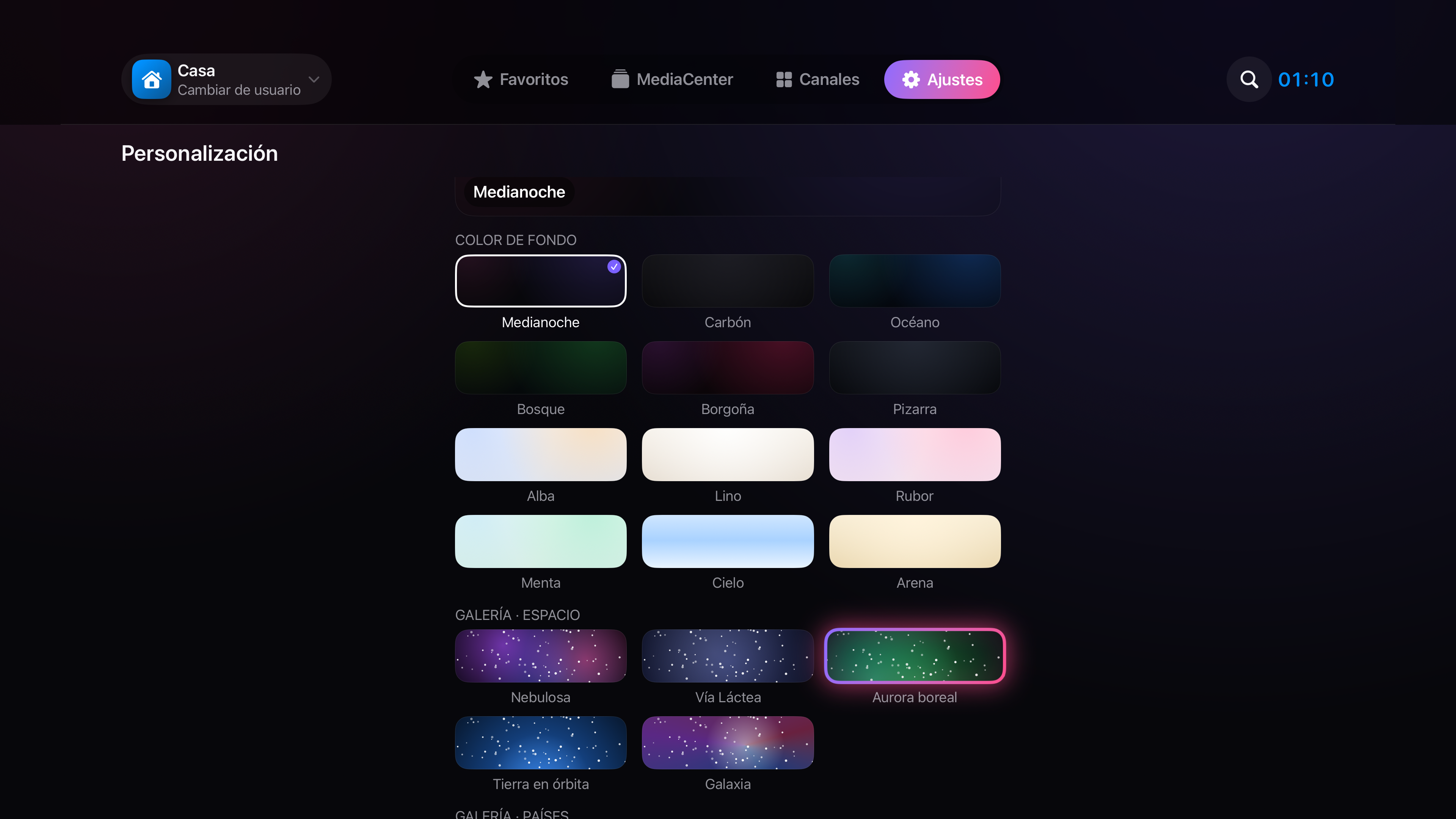
Colour palette & backgrounds
Solid colours, gradients, galaxies and landscapes
Frequently asked questions
Got questions?
Does Pulsar IPTV include channels?
No. Pulsar is a player — you provide your own IPTV list (M3U or Xtream Codes) from your provider. Pulsar does not offer or provide access to TV channels.
What is M3U and Xtream Codes?
These are the two standard IPTV list formats. M3U is a text file with channel URLs. Xtream Codes is a protocol with username, password and server. Your IPTV provider will give you one (or both).
Is it compatible with my Apple TV?
Yes. Pulsar is compatible with the Apple TV HD (4th generation) and all Apple TV 4K models, as long as they run tvOS 26 or later. It's optimised to work well even on the Apple TV HD, the oldest model Apple still supports. Previous models (1st, 2nd and 3rd gen.) are not compatible.
Will there be an Android version?
Yes, we're working on launching Pulsar for Android. If you want to be among the first to know when it's available, write to us at support.dcl@icloud.com and we'll keep you posted.
What does the lifetime purchase include?
Lifetime access to Pulsar Pro unlocks all current features and everything we add in the future, with a single payment of €24.99. No renewals, no surprises. It's our way of thanking those who trust us from the start.
How does the Pro free trial work?
When you activate Pulsar Pro for the first time, you get 7 free days. After that period, the annual subscription renews automatically. You can cancel at any time from Settings > Your name > Subscriptions on your iPhone, iPad or Apple TV.
What is the MediaCenter and how do I set it up?
The MediaCenter plays your local library (movies, series, music, photos) from a NAS, Time Capsule, Mac or PC shared on your home network, using SMB or DLNA. In Pulsar, go to Settings > Network folders, tap 'Search for servers on the network' and add the folder you want. No special configuration is needed on most modern NAS devices.
Does MediaCenter data leave my network?
No. The MediaCenter works directly between your Apple device and your server/NAS on the local network. No data passes through external servers. Everything stays at home.
How many devices can I use with one subscription?
Your Pro subscription is linked to your Apple ID. You can use Pulsar Pro on all devices where you have the same Apple ID active (iPhone, iPad and Apple TV).
Is there support in English?
Yes, the app is fully available in English. For support you can write to support.dcl@icloud.com and we'll respond in English.

Start free today.
No sign-up. No card. No hassle.
Download Pulsar IPTV and connect your playlist in under a minute.
iOS 17+ · tvOS 26+ · iPhone · iPad · Apple TV